OpenCV

The new face detection and Processing

Here is the slightly modified version of the OpenCV Java tutorial example with face detection, ported to Processing.

import processing.video.*;
 
import org.opencv.core.Core;
import org.opencv.core.Mat;
import org.opencv.core.MatOfRect;
import org.opencv.core.Point;
import org.opencv.core.Rect;
import org.opencv.core.Scalar;
import org.opencv.core.CvType;
import org.opencv.core.Size;
import org.opencv.objdetect.CascadeClassifier;
 
import java.awt.image.BufferedImage;
import java.awt.image.WritableRaster;
import java.awt.image.Raster;
 
Capture cap;
int pixCnt;
BufferedImage bm;
 
CascadeClassifier faceDetector;
MatOfRect faceDetections;
 
void setup() {
  size(640, 480);
  System.loadLibrary(Core.NATIVE_LIBRARY_NAME);
  println(Core.VERSION);
 
  cap = new Capture(this, width, height);
  cap.start();
  bm = new BufferedImage(width, height, BufferedImage.TYPE_4BYTE_ABGR);
  pixCnt = width*height*4;
 
  faceDetector = new CascadeClassifier(dataPath("haarcascade_frontalface_default.xml"));
  faceDetections = new MatOfRect();
}
 
void convert(PImage _i) {
  bm.setRGB(0, 0, _i.width, _i.height, _i.pixels, 0, _i.width);
  Raster rr = bm.getRaster();
  byte [] b1 = new byte[pixCnt];
  rr.getDataElements(0, 0, _i.width, _i.height, b1);
  Mat m1 = new Mat(_i.height, _i.width, CvType.CV_8UC4);
  m1.put(0, 0, b1);
 
  Mat m2 = new Mat(_i.height, _i.width, CvType.CV_8UC1);
  Imgproc.cvtColor(m1, m2, Imgproc.COLOR_BGRA2GRAY);   
 
  faceDetector.detectMultiScale(m2, faceDetections, 3, 1, 
  Objdetect.CASCADE_DO_CANNY_PRUNING, new Size(40, 40), new Size(240, 240));
 
  bm.flush();
  m2.release();
  m1.release();
}
 
void draw() {
  if (!cap.available()) 
    return;
  background(0);
  cap.read();
  convert(cap);
  image(cap, 0, 0);
  for (Rect rect: faceDetections.toArray()) {
    noFill();
    stroke(255, 0, 0);
    rect(rect.x, rect.y, rect.width, rect.height);
  }
}

OpenCV 2.4.4 and Processing

The latest OpenCV 2.4.4 supports the desktop version of Java. We can use the OpenCV functions in the Processing environment. Before we write a library for it, we can temporarily test it by putting the opencv-244.jar and libopencv_java244.dylib into the code folder of your sketch. For Windows, the dll file should go there as well.

And we also need to perform conversion between the PImage and the OpenCV Mat. I do not want to loop through the pixels array to use bitwise operations. In this case, I use the Java BufferedImage and WritableRaster classes with the 8 bits and 4 channels standard format.

Here are the example codes that perform the GaussianBlur and Canny functions.

import processing.video.*;
 
import org.opencv.core.Core;
import org.opencv.core.Mat;
import org.opencv.core.CvType;
import org.opencv.core.Size;
 
import java.awt.image.BufferedImage;
import java.awt.image.WritableRaster;
import java.awt.image.Raster;
 
Capture cap;
int pixCnt;
BufferedImage bm;
PImage img;
 
void setup() {
  size(640, 480);
  System.loadLibrary(Core.NATIVE_LIBRARY_NAME);
  println(Core.VERSION);
 
  cap = new Capture(this, width, height);
  cap.start();
  bm = new BufferedImage(width, height, BufferedImage.TYPE_4BYTE_ABGR);
  img = createImage(width, height, ARGB);
  pixCnt = width*height*4;
}
 
void convert(PImage _i) {
  bm.setRGB(0, 0, _i.width, _i.height, _i.pixels, 0, _i.width);
  Raster rr = bm.getRaster();
  byte [] b1 = new byte[pixCnt];
  rr.getDataElements(0, 0, _i.width, _i.height, b1);
  Mat m1 = new Mat(_i.height, _i.width, CvType.CV_8UC4);
  m1.put(0, 0, b1);
 
  Mat m2 = new Mat(_i.height, _i.width, CvType.CV_8UC1);
  Imgproc.cvtColor(m1, m2, Imgproc.COLOR_BGRA2GRAY);   
 
  Imgproc.GaussianBlur(m2, m2, new Size(7, 7), 1.5, 1.5);
  Imgproc.Canny(m2, m2, 0, 30, 3, false);
  Imgproc.cvtColor(m2, m1, Imgproc.COLOR_GRAY2BGRA);
 
  m1.get(0, 0, b1);
  WritableRaster wr = bm.getRaster();
  wr.setDataElements(0, 0, _i.width, _i.height, b1);
  bm.getRGB(0, 0, _i.width, _i.height, img.pixels, 0, _i.width);
  img.updatePixels();
  bm.flush();
  m2.release();
  m1.release();
}
 
void draw() {
  if (cap.available()) {
    background(0);
    cap.read();
    convert(cap);
    image(img, 0, 0);
  }
}


Building the new OpenCV 2.3.1 in OSX

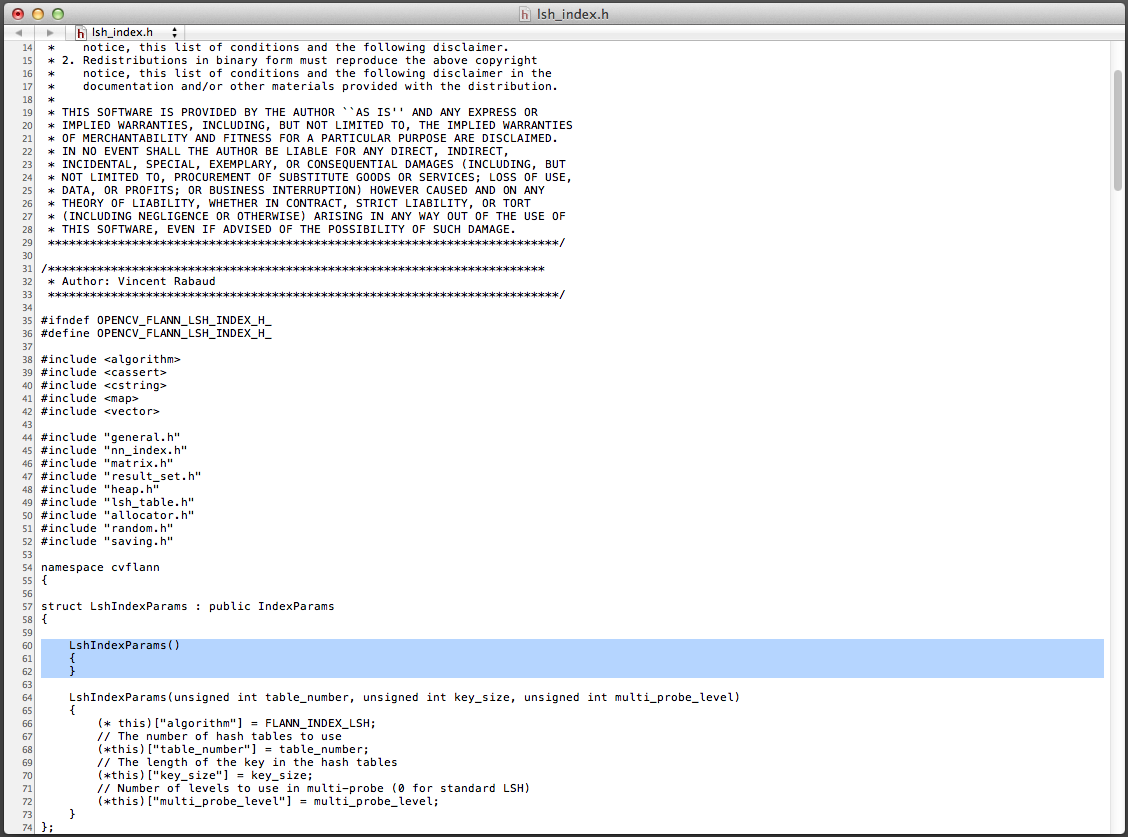
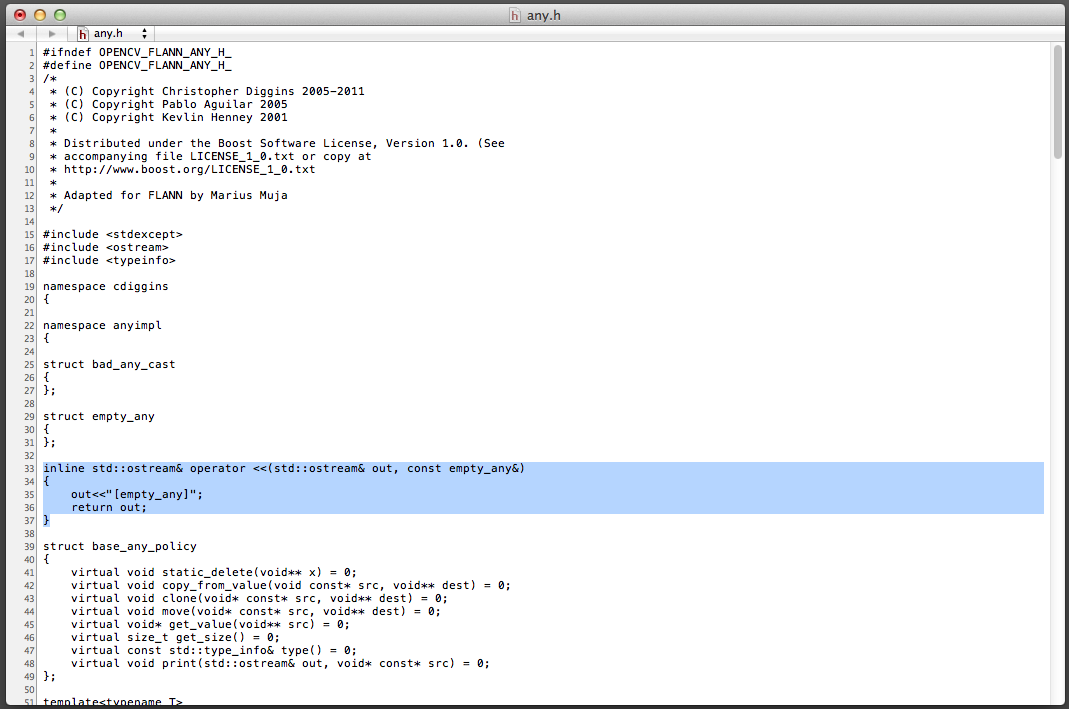
I am testing with the OpenCV 2.3.1 in OSX. The Homebrew and MacPorts versions do not build with the OpenNI option. To build it myself with CMake and XCode, I came into compilation error with the flann include files: any.h and lsh_index.h. After searching for a while, I found the solution as stated in Hiroaki Sawano’s website and patched the two files.

lsh.index.h

any.h

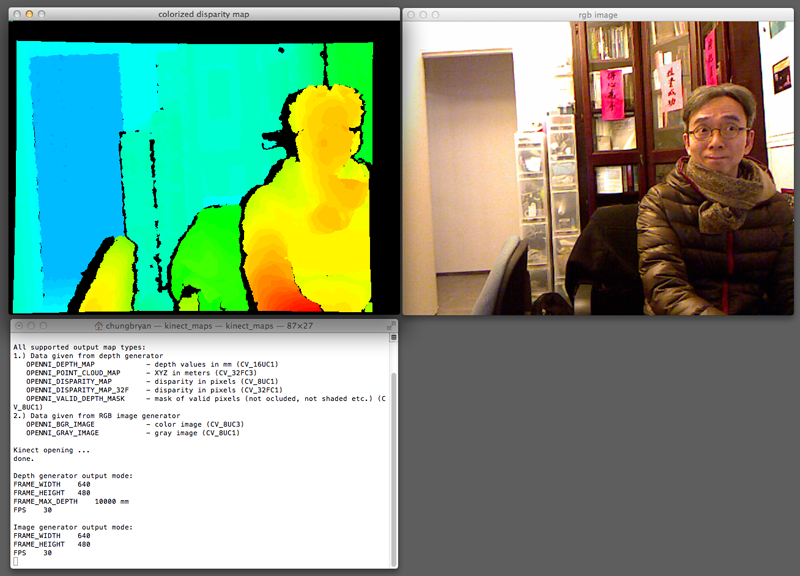
kinect_maps sample run

People Detection Sample from OpenCV

There are a number of requests of the code I adopt the OpenCV people detection sample. Here it is.

#include <opencv2/opencv.hpp>
 
using namespace cv;
 
int main (int argc, const char * argv[])
{
    VideoCapture cap(0);
    cap.set(CV_CAP_PROP_FRAME_WIDTH, 320);
    cap.set(CV_CAP_PROP_FRAME_HEIGHT, 240);
 
    if (!cap.isOpened())
        return -1;
 
    Mat img;
    namedWindow("opencv", CV_WINDOW_AUTOSIZE);
    HOGDescriptor hog;
    hog.setSVMDetector(HOGDescriptor::getDefaultPeopleDetector());
 
    while (true)
    {
        cap >> img;
        if (img.empty())
            continue;
 
        vector<Rect> found, found_filtered;
        hog.detectMultiScale(img, found, 0, Size(8,8), Size(32,32), 1.05, 2);
        size_t i, j;
        for (i=0; i<found.size(); i++) 
        {
            Rect r = found[i];
            for (j=0; j<found.size(); j++) 
                if (j!=i && (r & found[j]) == r)
                    break;
            if (j== found.size())
                found_filtered.push_back(r);
        }
 
        for (i=0; i<found_filtered.size(); i++) 
        {
            Rect r = found_filtered[i];
            r.x += cvRound(r.width*0.1);
		    r.width = cvRound(r.width*0.8);
		    r.y += cvRound(r.height*0.07);
		    r.height = cvRound(r.height*0.8);
		    rectangle(img, r.tl(), r.br(), Scalar(0,255,0), 3);        
        }
 
        imshow("opencv", img);
        if (waitKey(10)>=0)
            break;
    }
    return 0;
}

People Detection in OpenCV again

There are a number of enquiries about the people detection video I did a while ago. It is a step by step explanation of what I have done. I use the XCode 4 in OSX Lion with OpenCV 2.3 to try out the following.

The first step is to download and build the latest OpenCV 2.3 into the folder at /Developer/OpenCV-2.3.0. The headers are in the include folder. Please note that you may have to copy the individual include folders from the modules folder. I build the shared libraries in the lib/Release folder.

The code is a modification of the sample peopledetect.cpp.

The second step is to display the video capture image. I use the example from the C++ reference manual in the highgui section.

#include <iostream>
#include <opencv2/opencv.hpp>
 
using namespace std;
using namespace cv;
 
int main (int argc, const char * argv[])
{
    VideoCapture cap(CV_CAP_ANY);
    if (!cap.isOpened())
        return -1;
 
    Mat img;
    namedWindow("video capture", CV_WINDOW_AUTOSIZE);
    while (true)
    {
        cap >> img;
        imshow("video capture", img);
        if (waitKey(10) >= 0)
            break;
    }
    return 0;
}

The last step is to combine the two examples into one, with a little adjustment of the detection parameters and the display rectangle size.

#include <iostream>
#include <opencv2/opencv.hpp>
 
using namespace std;
using namespace cv;
 
int main (int argc, const char * argv[])
{
    VideoCapture cap(CV_CAP_ANY);
    cap.set(CV_CAP_PROP_FRAME_WIDTH, 320);
    cap.set(CV_CAP_PROP_FRAME_HEIGHT, 240);    
    if (!cap.isOpened())
        return -1;
 
    Mat img;
    HOGDescriptor hog;
    hog.setSVMDetector(HOGDescriptor::getDefaultPeopleDetector());
 
    namedWindow("video capture", CV_WINDOW_AUTOSIZE);
    while (true)
    {
        cap >> img;
        if (!img.data)
            continue;
 
        vector<Rect> found, found_filtered;
        hog.detectMultiScale(img, found, 0, Size(8,8), Size(32,32), 1.05, 2);
 
        size_t i, j;
        for (i=0; i<found.size(); i++)
        {
            Rect r = found[i];
            for (j=0; j<found.size(); j++)
                if (j!=i && (r & found[j])==r)
                    break;
            if (j==found.size())
                found_filtered.push_back(r);
        }
        for (i=0; i<found_filtered.size(); i++)
        {
	    Rect r = found_filtered[i];
            r.x += cvRound(r.width*0.1);
	    r.width = cvRound(r.width*0.8);
	    r.y += cvRound(r.height*0.06);
	    r.height = cvRound(r.height*0.9);
	    rectangle(img, r.tl(), r.br(), cv::Scalar(0,255,0), 2);
	}
        imshow("video capture", img);
        if (waitKey(20) >= 0)
            break;
    }
    return 0;
}

Please note that the performance is pretty slow even though the capture size is 320 x 240.

OpenCV C++ usage

I start using the C++ interface for OpenCV, instead of the old highgui C functions. Here is an example to do real time video capture from the default webcam.

#include "stdafx.h"
#include "cv.h"
#include "highgui.h"

using namespace cv;

int main(int, char**)
{
	VideoCapture cap(0);
	cap.set(CV_CAP_PROP_FRAME_WIDTH, 640);
	cap.set(CV_CAP_PROP_FRAME_HEIGHT, 480);
	if (!cap.isOpened())
		return -1;

	namedWindow("camera",CV_WINDOW_AUTOSIZE);
	while (true)
	{
		Mat frame;
		cap >> frame;
		imshow("camera", frame);
		if (waitKey(10) >= 0)
			break;
	}
	return 0;
}